Author: Allan Hoffman

Writing

Why I decided to use Day One for my journal


2 Comments

For years, I’ve kept a journal, using any number of word-processing programs for this. Microsoft Word, of course, and Apple’s Pages, and Mellel (a Mac-only word-processor I liked for a couple of years), Google Docs, and even SimpleNote, a note-taking tool for the web and my iPhone.

I wasn’t really looking for something new for keeping a journal — after all, you don’t need much more than a blank page — but then I heard about raves for Day One, a Mac and iOS app. I took a look, bought the Mac version ($10) and the iPhone version ($2), and now I’m a bonafide Day One fan.

Why is this? Well, I think it’s for a number of reasons:

  1. It’s got a simple, great-looking interface.
  2. I can keep the Mac and iPhone versions synced with Dropbox (or iCloud).
  3. A couple keystrokes, and I can “lock” the journal.
  4. It’s got some stylish user interface features, like the ability to hover over dates on a calendar to scan your journal entries.
  5. I appreciate having a well-designed writing tool tailored to one task, journal writing.

This is all something of a surprise to me — my infatuation with Day One, that is — because I almost always prefer to use just one tool for writing, rather than many. In fact, I’ve been frustrated over the past few years over the need to use so many different writing tools (Word, Google Docs, Pages, and so forth), depending on what I’m writing (and whether I’m collaborating with others). But I’m getting used to it.
Tech

Why is my TV so complicated to set up?


No Comments

Here’s how I started a recent Star-Ledger column: “Among your home gadgets and home electronics, what’s the most difficult one to set up and operate?”

What’s your pick? Your computer? Your smart phone? Maybe your camera?

I doubt it. I don’t know about you, but for me it’s the TV, and I know I’m not alone in this.

The recent Consumer Electronics Show had lots of TV-related announcements, but nothing to really transform the TV. In the column, I tried to tackle what’s wrong with today’s TVs. Among the problems? Too many remotes, expensive cable providers, and too many boxes (for a gaming machine, a DVD player, and so forth). I know there’s talk of Apple doing something about this, perhaps with a genuine Apple-branded television, but it’s a lot to tackle. Read my column.

Tech, Writing

The joy of minimal, easy-to-follow instructions


1 Comment

The holidays have come and gone, and with them, several weeks of intermittent box opening, toy assembling, and instruction reading. Much fun was had, but I do have a complaint/observation: Why must companies continue to churn out really, really bad instructions? The instructions included with toys, gadgets, and other miscellaneous whatnots are laughably bad.

I have these specific gripes:

  • The writing isn’t clear.
  • The type is often minuscule.
  • The design is nonexistent.

Things don’t need to be this way. As Apple has demonstrated, it is possible to include set-up and operating instructions that are a joy to follow and make it possible to unbox your item, from a Macintosh computer to an iPhone, and start using it within minutes. Yes, minutes: even if it’s a marvel of technology. To do that, you need to leave a lot out of the instructions, or else make the device so completely simple you don’t need any instructions at all. Instead, many devices come with an instruction manual that’s a motley-looking mishmash of words thrown on a page and tossed in a box (or so it looks to someone hoping to play with something, rather than struggle with it).

Is there a secret to easy-to-follow instructions? Not really — though it helps if the product is designed in such a way that lots and lots of instructions aren’t necessary. Beyond that, it’s great if the company (1) offers very brief and clear instructions just to help you get started (a “Getting Started” guide, with big type and a friendly design), and (2) provides more detailed instructions online or in a separate guide or manual.

Miscellany

Creative agency brings together Instagram and holiday greetings


No Comments

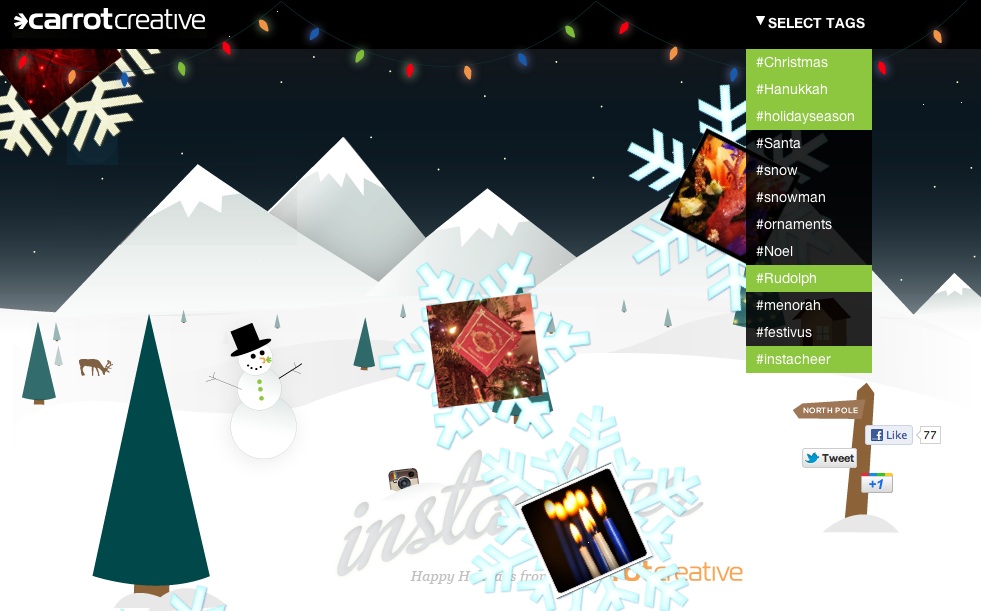
The social media agency Carrot Creative has a holiday card that’s a lot of fun. It combines a live feed of Instagram photos with a holiday background (snowflakes, snowmen, snow scene with trees and the like).

You’re able to control the feed of photos to your liking with a pull-down menu of Instagram hashtags, such as Christmas, Hanukkah, and whatnot. It’s lots of fun.

Check it out at Instacheer.com.

Tech

Delicious vs. Pinterest: Wondering how I should organize my bookmarks and links


No Comments

For a number of years, I’ve been using Delicious, the web-based bookmarking service, to store and organize my bookmarks. In fact, it was really more than a bookmarking tool for me. (I saved a lot more than my “favorites.”) I used Delicious to store, as a simple title and URL, anything I came across that was interesting, useful, or that I might want to find in the future; each of these was tagged with a label like “wordpress” or “photography” or “inspiration.” The interface was bare-bones, in a craigslist sort of way, and I loved it.

That’s all over.

Delicious was sold by Yahoo earlier this year, and now it’s morphing and evolving. I still like it, but I feel like it does too much. It’s no longer a simple and streamlined service. It’s a startup in flux.

As ReadWriteWeb has noted, Delicious is starting to look a look a lot like Pinterest, a startup that’s gaining a big following as a way to “organize and share the things you love.”

So I’ve been wondering. Should I jump ship from Delicious and try Pinterest. Seems like a lot of work. Or stick with Delicious and see where it’s new proprietors will take it? For now, I’m opting for the latter, but I’m keeping my options open.

Miscellany, Tech

Maybe it’s not too late to send a holiday card


No Comments

Another year, another set of holiday cards. Actually, judging from our mail, lots of people are scaling back on traditional, USPS holiday greetings. (Uh, I guess it could also be we’re just not that popular.) Certainly the zeitgeist argues against going over-the-top with a lavish, expensive card. But here’s the great thing: With e-cards, you can still send out your holiday cards, without a lot of hassle, even if you haven’t given them much thought. And there are other options, too, like creating a quick holiday video to send to friends. I wrote a column last year about alternatives to holiday greetings. It puts the spotlight on Animoto, a really great tool for creating MTV-style videos without spending a whole lot of time on them.

Photography, Writing

Book recommendation: “Unpacking My Library: Writers and Their Books”


1 Comment

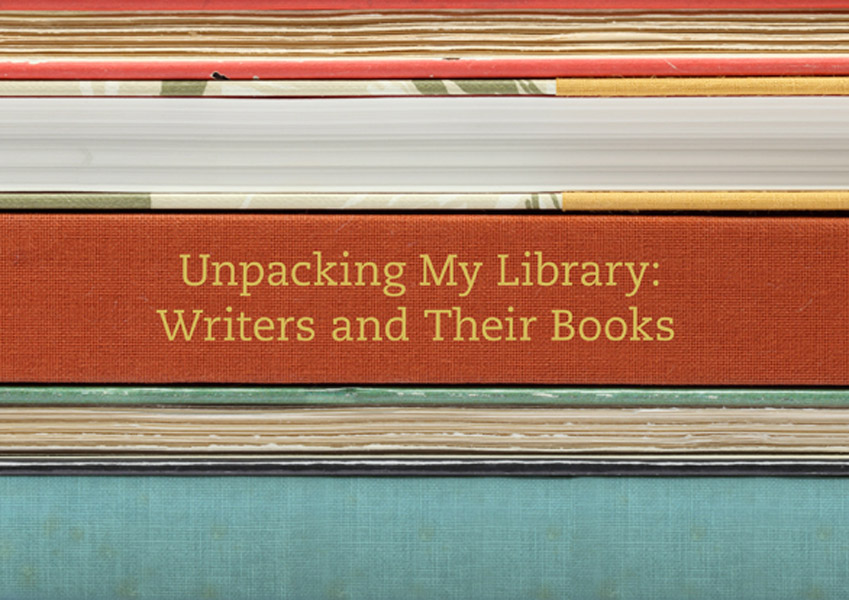
I’ve been struggling with e-books lately. I keep thinking I should go ahead and join the e-book revolution, just as I have with music and photography and so much else, but I just can’t get into it. I have read e-books, but I still prefer traditional, printed books, for any number of reasons. Certainly one of them is their beauty as objects. That’s one of the reasons I love Leah Price’s book “Unpacking My Library: Writers and Their Books.” This is a beautiful book, and it’s about, in part, the beauty of books, and the writers who love them. The book puts the spotlight on the personal libraries of 13 novelists, with close-up photos of their shelves. Why do I love (printed) books? This book says it all.

Tech

Yes, I like the Kindle Fire


2 Comments

Here’s what I had to say about the Fire in the column I wrote about it: “I’m impressed by the Fire, and I think millions will buy it and love it. Apple’s finally got big-time competition for tablet computers.”

Do I prefer the Fire over the iPad? No way. But for $199, it’s really impressive.

That’s because the Fire is exceptionally easy to use, with virtually no learning curve. You take it out of the box, and you can pretty much start using it for just the sort of things you’d expect from a tablet computer — watching TV shows and movies, reading books and playing games. And for $199, the Kindle is a real bargain.

Here’s an article from Web100 with some other views of what the Fire does (and does not) have to offer.

Photography

iPhone photography show at Soho gallery


No Comments


Save the date: There’s an iPhoneography show in New York City, and I’ll be there for the opening on December 16. The exhibition will feature 200 photos, with more than 8,000 photos having been submitted. Interested in seeing your photo on the walls of the Soho Gallery for Digital Art? You can submit until December 10. Learn more.

Tech

The column I didn’t write: “What Not to Buy Your Kids for the Holidays”


No Comments


Sometimes I have an idea for a column, and then I never get around to writing it. Maybe it’s because I’ve lost interest in the topic, or it seems dated — too many others have written about it — or I’ve realized there’s not enough there to make a column.

Here’s one I planned to write and chose not to: “What Not to Buy Your Kids for the Holidays.”

I thought about timing this for Black Friday. Then I worried it would be too curmudgeonly. And it probably would have been.

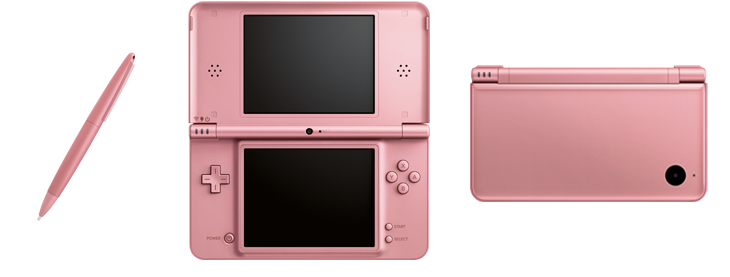
The general gist of it: Cross off gadgets from your kids’ holiday lists. (I’m talking about your kids who are 10 years old or under.) Don’t buy your 8-year-old an iPod touch or a Kindle Fire or a DS for the holidays. Kids are immersed in technology, and they’re better off if you delay those devices, especially the ones doubling as advanced communications tools (with email, social networking, phone capabilities, and the like).

I know it’s hard to resist: My daughter wants this stuff.

OK, there it is. I didn’t write it — as a column. But I thought it.